Tracking Car Costs with hledger
I’ve mentioned hledger on this blog a few times before. I mainly use it to track all my finances: checking accounts, credit cards, PayPal, my investment portfolio, savings accounts, and so on.
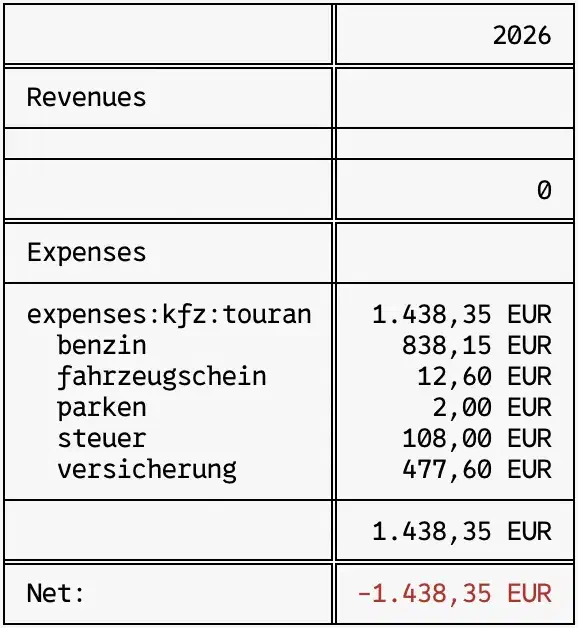
After swapping the VW Touran for a new car, I want to track everything I spend on the new one too. Strictly speaking, my existing hledger setup already does that, since I have expense accounts for various car-related costs:
|
|
Besides the costs, I also tracked the Touran’s fuel consumption and the distance I drove. I kept a Numbers spreadsheet with a long table that recorded every fill-up:
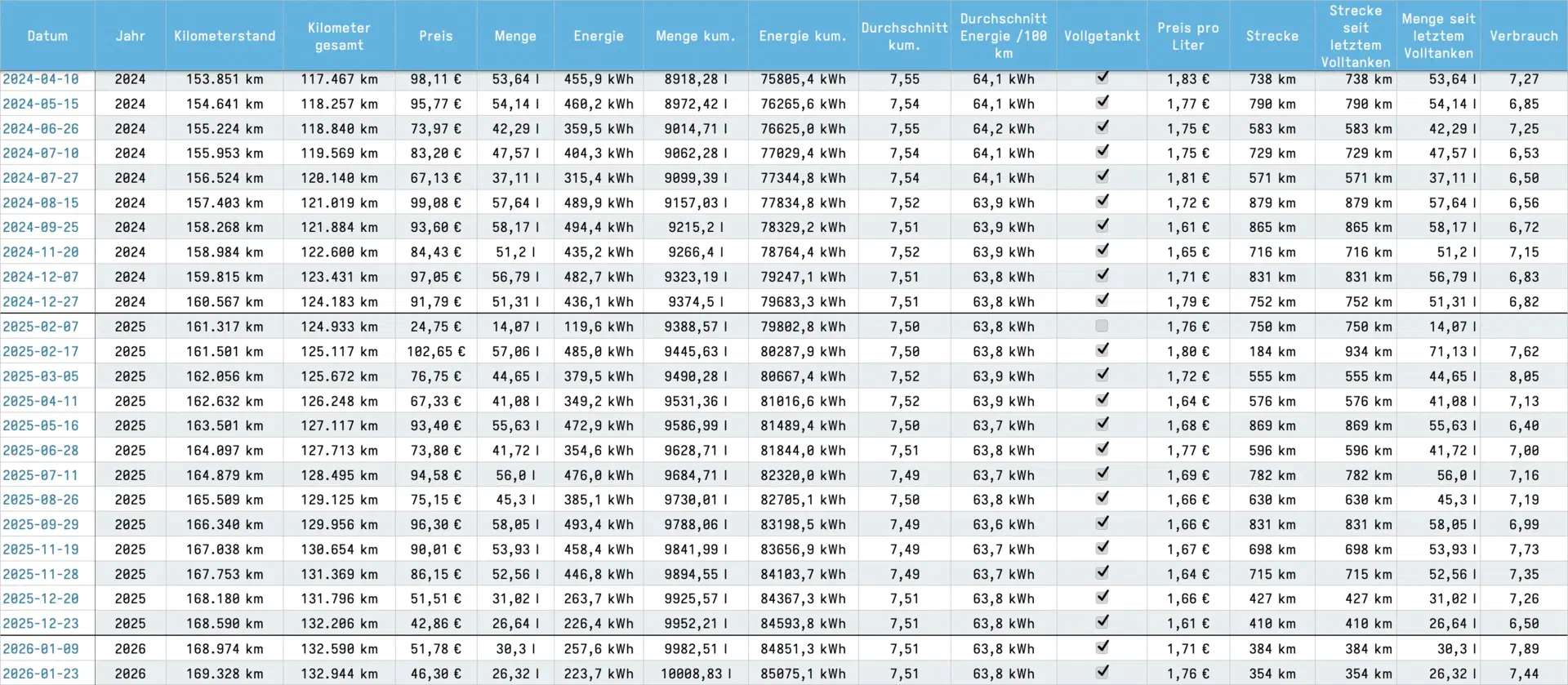
It never quite felt like the right solution, and with an electric car there would be a lot more individual entries to keep track of. Instead of logging 15 fill-ups a year, I’d have to log several times as many charging sessions.
I wondered whether I could use hledger to track consumption too and automate some of the work while I was at it. I came to the conclusion that it would actually work quite well.
hledger implements double-entry bookkeeping and stores its data in text files. Each entry in what’s called a journal represents a transaction in which something moves from one place to another. Nothing just disappears or appears out of nowhere.
With money, the idea is immediately clear:
I have a checking account with a certain amount of money in euros. I pay for parking in downtown Hamburg, so I take 50 euros1 out of my checking account and put them into an expense account where I record parking costs for the car. The checking account now has 50 euros less, and the parking expense account has 50 euros more.
Here’s how I’d enter that in hledger:
2026-11-15 * Parkhaus Hamburg Hanseatisches Viertel
    aktiva:konto           -50 EUR
    ausgaben:auto:parken    50 EUR
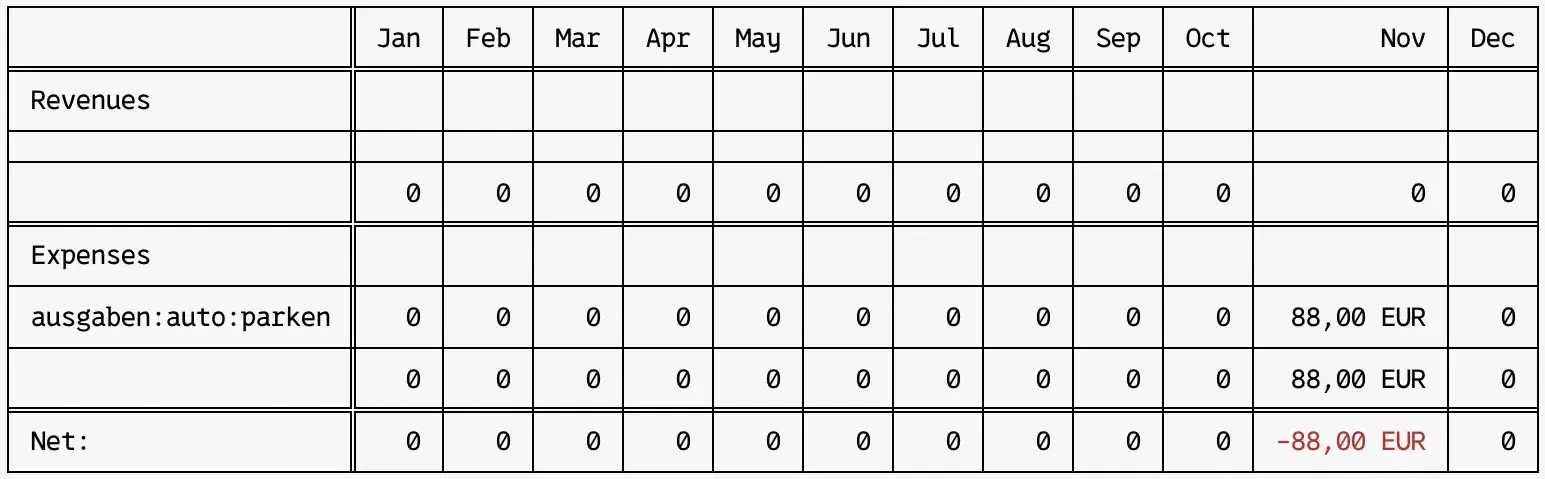
The transaction records the date, how much moved, and where it moved from and to. You can then use that information to generate reports.
|
|
Tracking energy costs takes a slightly different approach. If you think about it, using gasoline or electricity is also a kind of transfer, except that more than one unit is involved. In hledger terminology, each unit is a commodity:
- Money for filling up or charging and for other expenses
- Energy (liters of gasoline or kWh of electricity)
- Distance traveled
When you fill up or charge, energy moves from the gas station or charger into the car, and you pay for that energy in return. As you drive, the energy in the tank or battery is converted into distance traveled. That also lets you work out the cost per unit of distance directly.
There are exchange rates between these units, just as there are with money. Instead of exchanging dollars for euros or euros for a number of shares, we exchange euros for kWh and kWh for kilometers. That gives us the familiar units you see at the charger or on the car’s display: cents per kilowatt-hour or kilowatt-hours per 100 kilometers.
That’s all we need to get started in hledger. First, we define the commodities, which are the units we want to track:
decimal-mark ,

commodity 1.000,00 EUR
commodity 1.000,000 kWh
commodity 1.000, km
The chart of accounts defines the sources and destinations for postings, as well as their account types:
; Chart of accounts

; --- Money --------------------------------------------------------------
account aktiva:konto                          ; type:A, payment account (checking account)
; Home charging is included in the electricity bill, not paid separately.
account verrechnung:haushaltsstrom            ; type:L

; --- Leasing ------------------------------------------------------------
account ausgaben:auto:leasing:rate            ; type:X
account ausgaben:auto:leasing:sonderzahlung   ; type:X, one-off payment; spread over the lease term if needed
account ausgaben:auto:leasing:überführung     ; type:X, delivery at handover
account ausgaben:auto:leasing:rückgabe        ; type:X, excess mileage and damage at lease return

; --- Running costs ------------------------------------------------------
account ausgaben:auto:versicherung            ; type:X
account ausgaben:auto:steuer                  ; type:X
account ausgaben:auto:zulassung               ; type:X
account ausgaben:auto:werkstatt:inspektion    ; type:X
account ausgaben:auto:werkstatt:reifen        ; type:X
account ausgaben:auto:werkstatt:reparatur     ; type:X
account ausgaben:auto:parken                  ; type:X
account ausgaben:auto:pflege                  ; type:X, car washes, washer fluid, …
account ausgaben:auto:zubehör                 ; type:X
account ausgaben:auto:sonstiges               ; type:X

; --- Charging (kWh @@ EUR) ----------------------------------------------
account ausgaben:auto:laden:zuhause:pv           ; type:X, evcc: solar portion (valued at the feed-in tariff)
account ausgaben:auto:laden:zuhause:netz         ; type:X, evcc: grid portion
account ausgaben:auto:laden:öffentlich:shell     ; type:X
account ausgaben:auto:laden:öffentlich:kaufland  ; type:X
account ausgaben:auto:laden:öffentlich:tesla     ; type:X
account ausgaben:auto:laden:öffentlich:sonstige  ; type:X
; Add more as needed.
account ausgaben:auto:laden:grundgebühr          ; type:X, charging subscriptions (EUR only)

; --- Distance (km) ------------------------------------------------------
; fahrzeug:tacho is set only by balance assignment ("= 12.345 km").
; fahrzeug:fahrleistung takes the difference (negative; invert it in reports).
account fahrzeug:tacho                        ; type:A
account fahrzeug:fahrleistung                 ; type:X
account fahrzeug:übergabe                     ; type:E, odometer reading at handover (not counted as distance driven)
Now you can record everything as individual transactions in hledger. Here are a few examples. If you leave an account’s amount blank, hledger calculates it automatically: in double-entry bookkeeping, there’s only one amount that will balance the transaction.
2026-11-01 Handover
    fahrzeug:tacho  = 2 km
    fahrzeug:übergabe

2026-11-02 Registration fees
    ausgaben:auto:zulassung  149,00 EUR
    aktiva:konto

2026-11-03  Odometer reading
    fahrzeug:tacho  = 56 km
    fahrzeug:fahrleistung

2026-11-04  Steigenberger parking garage, Hamburg
    ausgaben:auto:parken  38 EUR
    aktiva:konto

2026-11-05  Charging at Shell Dahlewitz
    ausgaben:auto:laden:öffentlich:shell  10,2 kWh @@ 8,09 EUR
    aktiva:konto                          -8,09 EUR
    fahrzeug:tacho                        = 171 km
    fahrzeug:fahrleistung
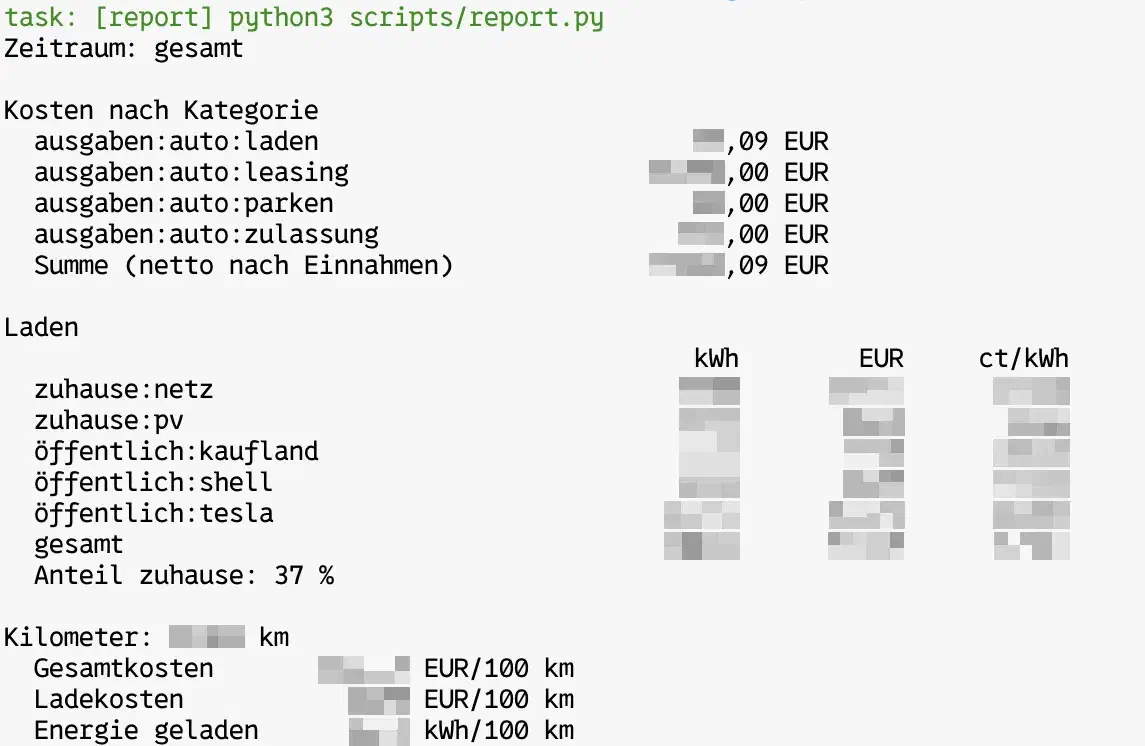
And that’s most of the work done. With hledger’s reporting features, you can now generate all the reports you want: energy costs, distance driven, average consumption, total expenses, and so on.
A simple report might look like this:
So how does the data get into the hledger journal?
- I enter some things by hand, mostly transactions that only involve money (parking fees, lease payments, …)2.
- evcc exports charging sessions as CSV files. A simple script turns those exports into hledger journal entries and appends them to the current journal.
- PDF receipts from charging away from home go into a directory. A PDF parser converts them to text, and the relevant data is extracted and turned into journal entries too. There’s a parser for each provider because each PDF format has its own quirks.
The import scripts are idempotent: running them again doesn’t create duplicate entries, because each transaction gets an identifier when it’s created.
Ok, now I’ve reached the end of the post, and I’m not sure how to wrap it up. Maybe like this: I’m glad software like hledger exists. It looks unassuming at first, but once you dig into it, it turns out to be incredibly powerful. You can use it to track things it wasn’t even originally designed for.
Questions or comments?
The easiest way to reach me is on Mastodon.